What's different about running a LiveJudge-scored event and why it makes your day easier, not harder.
Whether you are new to running an event with software or switching from spreadsheets or a less capable program, rest easy. The LiveJudge™ system will keep what is familiar to you and streamline the rest.
What stays the same
Your judges and their expertise.
Your standards — you define the criteria and what earns each score.
Your rules — who enters, how they're grouped, how a winner is chosen.
What gets easier
The math disappears — totals and weighting are calculated the instant scores land.
You see the event live — who's scored, who hasn't, where it stands.
The result is defensible and transparent — not a shoebox of paper or a spreadsheet.
Next year is faster — reuse your whole setup.
The four roles
You, the host. You run the event and the day. This guide is for you.
Judges. Score from any phone or tablet — no passwords, no downloads.
Contestants Contestants can register, enter classes & ballots and load their information directly into the system. The interface is clean and easy to use. They just scan the QR code that you have posted around the venue. If you don't post it, anyone can go to https://LiveJudge.com and click the OPEN APP button at the top of the site.
Fans. Fans simply scan a QR code or find your event to follow contestants, entries and the leaderboard.
Before you go further
Use the launch guide on the dashboard and in the header of most of the event-specific screens. It will tell you if you are ready to go.
Best practices for ensuring a smooth event. Everything starts with practice and communication with judges and contestants.
Practice Everything
The key to avoiding mishaps on event day is simulation. You can do this ANYTIME but as contestants come into the system, doing this a week out will keep your memory fresh and give you some real data to work with.
SIMULATIONS
Scan the QR code for your event. It's right in the main dashboard header. Sign in as contestant and enter some classes or ballots (depending on what you activated). Understanding the contestant experience will make it easy to answer any questions that might arise and if you do see things you don't like, you have plenty of time to change them.
After simulating a contestant's journey, LOG OUT of the app and sign back in as a judge. See what the judges see. Enter scores!
Return to the desktop and access the Scoring Admin section of your event. Look at the scores. There is a whisk broom icon at the end of each contestant row; click that to clear the scores for that contestant.
Communication
If you imported your contestants, use the "Message" tool atop the contestant list to send a text message to every contestant so they can get themselves entered into your classes and ballots. Although you can manually assign contestants to classes and ballots (right from the contestant list), it's way easier to have each contestant take care of business (especially if it's an entry-based event). See sample message content below for a business pitch contest.
Walk-Up Registration
LiveJudge is designed to accommodate full walk-up registration by contestants. Often, this is better than importing because ALL you have to do is post your event QR code on posters at the registration desk and around the venue (because fans use the same one to access the event on their phones).
3
Keeping it simple
Sample Event Poster
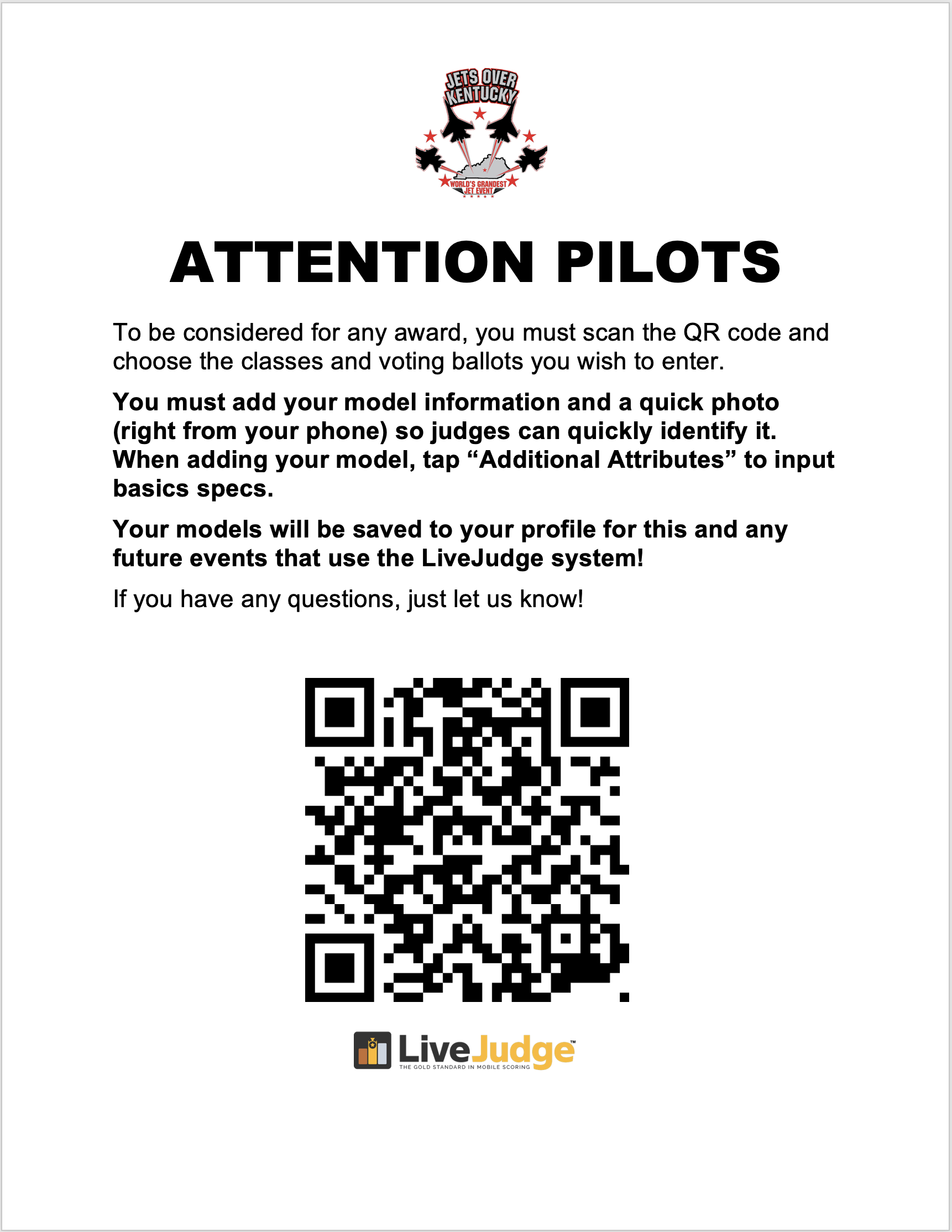
Here is a recommended format and wording for your QR poster.
Sample language and layout
Feel free to borrow the language and layout of this poster, which was used at an RC jet event! Make and post enough so you don't miss any walk-in contestants!
Grab our logo!
Right-click and save the LiveJudge logo of your choice for use on your poster!
4
The Venue
Venue & Connectivity
Good news first: the app is light on data, so normal wifi or 5G is usually all you need. Here's how to be sure — plus a great backup if you're remote.
LiveJudge is a lightweight mobile app that passes low volumes of data, so your experience should be fine on normal 5G or wifi at your venue. Connectivity is rarely the thing that goes wrong — but if you want to be sure, a couple of quick checks and one excellent backup option have you covered.
QHow do I know the venue's connection is good enough?
Because the app sends so little data, even a modest signal usually does the job. The one thing worth doing: a week before, walk the room with your phone and check that you have signal where judges will actually stand — not just at the front door. If the venue offers a dedicated network rather than the public guest wifi, ask for the name and password.
QIf a judge briefly loses signal, do their scores get lost?
Anything a judge has already committed is safely stored, so past entries are never at risk. The one thing to confirm: what happens if a judge taps commit at the exact moment their signal is down — whether the app queues it and sends when signal returns, or asks them to try again.
TipSeat judges where the signal is strongest, and have them commit each entry before moving on — then a momentary blip almost never matters.
QWe're outdoors or remote — a field or a parking lot (RC flying, car shows).
Test the signal in advance at the exact judging spot, since coverage on an open field varies by carrier. Bring a battery pack — outdoor events drain phones faster in sun and cold — and if you're truly off the grid, a Starlink hotspot turns “no signal” into gig speed.
TipIf one carrier is weak at your site, judges on a different carrier make great backup devices.
Before event day
You've confirmed signal where judges will stand, not just the entrance.
If needed: the dedicated-network name and password, or a hotspot / Starlink as backup.
For outdoor or remote events: coverage tested on-site, battery packs packed.
5
Doors Open
Getting Everyone In
How contestants and judges actually get signed in on the day — without a bottleneck at the door.
Sign-in for contestants is refreshingly simple: no passwords, no accounts to create. But a little planning keeps a crowd from bunching up while people figure it out. NOTE: Spectators do NOT need to sign in. They just scan your event QR code and that's it!
QHow does someone sign in — do they need an account or password?
Spectators do not sign in. Contestants and judges sign in with their mobile number and a security code that's texted to them. No passwords. Your Event Basics screen has a QR code that opens the event page. Scan it, enter your phone number, type the texted code, you're in.
TipPrint the QR code big and post it at the entrance and the check-in table. Most people can sign themselves in before they reach the front of the line.
QSomeone shows up who never registered — a walk-up.
You can add them on the spot in the desktop/tablet admin or let them scan and register themselves. In the Class Assignment area of your admin, you can choose to "allow self-registration." If you do, contestants can simply self-register. Either way, no one is turned away for not signing up in advance.
TipDecide beforehand whether walk-ups are allowed, and if so, who at the table has the access to add them.
QA judge didn't get their texted code.
If a judge is not receiving their code, you can have them sign in with their assigned 8-digit judge number (instead of mobile number) and 6-digit code. These are in the judge pool area.
TipHave one helper at check-in with a charged phone whose only job is sorting out the few people who get stuck.
QHow do I keep a line from forming at the door?
Sign-in is self-serve, so the bottleneck is almost never the app — it's people not knowing what to do. Signage with the QR code and a one-line instruction ("Scan → enter your phone → enter the code") does most of the work. One roaming helper handles the rest.
Before event day
The QR code is printed large for the entrance and the check-in table.
Someone is staffing check-in with a charged phone.
You've decided your walk-up policy and who can add people.
6
Your Judges
Your Judges' Experience
What judging actually feels like from a judge's phone — and the real-world hiccups that rattle them if you haven't prepared.
Your judges are experts at judging, not at software. A ten-minute huddle before doors and a few small preparations turn a nervous judge into a confident one — and this is the section hosts underestimate most.
QA judge's phone rings — or locks — in the middle of scoring. Do they lose their place?
Here's the one fact worth teaching every judge: LiveJudge saves a scoresheet only when the judge commits it — there's no auto-save partway through. So the habit is simple: finish an entry and commit it before setting the phone down. Once committed, that scoresheet is safely stored and a call, a screen lock, or a dying battery can't touch it. The only thing ever at risk is a single scoresheet still open and uncommitted.
TipSay this out loud in your judge huddle: "Score one entry, commit it, then move on." Ten seconds of instruction that prevents the one situation that loses work.
QSo when exactly is a score saved?
The moment the judge commits the scoresheet for that entry — and only then. There's no partial or background save, which is exactly why committing each entry promptly, instead of leaving several open at once, is the safe habit.
QWhat if a judge's battery dies?
This one's pure logistics, and it's on you to prevent. Ask judges to arrive fully charged, put a power strip and a couple of chargers at the judges' table, and keep one spare phone on hand. A dead phone mid-round is far more disruptive than a weak signal.
TipLong event? A cheap battery pack per judge is the simplest fix.
QJudges can't see the screen outdoors in bright sun.
Glare is a real problem at outdoor events. Position judges with the sun behind them or under shade, and tell them to turn screen brightness all the way up. A small canopy over the judging spot pays for itself.
QDo judges need to install anything or learn the software?
No — they judge from their own phone through the event link, and there's nothing to install or remember. A five-minute walkthrough before the event is more than enough for anyone.
Before event day
Judges know to arrive charged; chargers and a spare phone are at the table.
You've planned the judge huddle and a practice entry to score.
For outdoor events: judging positioned for shade and glare.
7
During the Event
Keeping the Event Moving
On the day you're a conductor, not a builder. Mostly that means watching the dashboard and keeping judges in rhythm.
If the prep was solid, event day is calm. Your job is to keep an eye on the flow and nudge things along — not to fight the software.
QWhat should I actually be watching during the event?
Your live dashboard. For each judged class, there is a green progress bar indicating where you are in the score entry for that class. In the Scoring Admin you can see exactly who has been scored and by which judge. Anyone stuck, way behind, or scoring far off the others is who needs a quiet check-in.
TipGlance at the dashboard between entries, not constantly. If something needs attention, it'll be obvious.
QOne judge is falling behind the others.
Usually it's a small thing — a distraction, a question about the rubric, or a phone issue. A quiet word is all it takes. Because you can see it live, you catch it early instead of discovering a gap at the end.
QThe running order changed — a contestant swapped or dropped.
Live events shuffle constantly, and that's fine. Make sure what's happening on the floor matches what judges see, so no one scores the wrong entry. In the Round Setup area, you can pre-determine how each round will be ordered and the system handles the rest! You can randomize or have the lowest finisher from the previous round top the list in the subsequent round.
QShould scores show live, or stay hidden until the end?
Your call, and there's no wrong answer — just make it a choice. A live leaderboard builds excitement but can rattle contestants and judges. Decide in advance whether scores are visible as you go or revealed at the finish.
Before event day
You know where the live dashboard is and what a healthy event looks like on it.
You've decided whether scores/leaderboards are visible during the event.
Someone besides you can read the dashboard if you're pulled away.
8
Audience Engagement
Fan Voting
When the crowd's vote is part of the fun — and how to run it fairly and get real turnout.
For many events — car shows, dance and cheer especially — a People's Choice vote turns spectators into participants. It's optional, and worth it when audience energy is part of your event's identity.
QShould my event even use fan voting?
Use it when a crowd favorite adds something — a People's Choice award alongside your judges, or an event where audience energy is the point. Skip it if it would distract from a purely expert-judged result.
QHow do I keep fan voting fair, so it doesn't override the judges?
Decide up front how much the fan vote counts — a separate standalone award, or blended into the total at a set weight — and say so publicly. The fastest way to sour a crowd is a vote that turns out not to matter, or one that quietly overrules the experts.
QHow do I actually get people to vote?
Make it effortless. The same QR-and-phone flow contestants use gets fans to the ballot. Put the link or QR code everywhere — signage, programs, the stage, the PA — and announce when voting opens and closes more than once.
TipAt a car show, put a QR on every entry's placard. The easier it is to vote while standing at the car, the higher your turnout.
QHow exactly does a fan get from a QR code to a submitted vote?
The contestant simply taps the VOTE button at the bottom of the app and picks which ballot to vote on.
TipFor each ballot, you can decide WHO may vote on that ballot (e.g. fans only, fellow contestants only or both).
QHow do we keep people at the event from sharing their voting QR link?
Easy. In the ballot setup, you can set a radius around your venue so that anyone outside that radius won't be able to vote!
TipTo be safe, use the 1 mile radius (and above) because using .25 miles, for example, might exclude someone at the venue whose phone GPS is not that accurate.
Before event day
Fan-vote weight is set (or it's a standalone award), and it's public.
The voting link / QR code is on all signage and programs.
Open and close times are decided and will be announced.
9
Troubleshooting
When Something Goes Wrong
The handful of things that actually go sideways on event day, and the calm fix for each.
QA contestant disputes their score.
You have a clean, consistent record and a rubric to point to — far more defensible than paper. Walk them through the criteria calmly. Because scoring is even-handed across judges, disputes are rarer than with paper judging in the first place.
Most event-day problems are small and quick to solve. Here are the ones hosts hit most — knowing the fix in advance is the difference between a shrug and a scramble.
QA judge dropped offline in the middle of the event.
Every entry they've already committed is stored and safe. Get them onto a stronger signal or your backup hotspot so they can commit the entry they're on — since scores save only on commit, the whole goal is to have connection back before they finish that scoresheet. Meanwhile, the other judges keep going, so the event never stalls.
TipKeep a hotspot within reach of the judges' table so a fix is a ten-second walk, not a scramble.
QA contestant is a no-show.
It doesn't block anyone else — leave them unscored or withdraw them from the class and the event carries on. You can remove a contestant from a class from the contestant screen in the admin area (desktop). Decide your policy in advance so it's not a live decision (some events hold the slot briefly, others move straight on).
QA judge entered the wrong score or has a serious change of heart
In the Scoring Admin section of the desktop/tablet admin, you can change any value of any score of any contestant from any judge.
TipKeep this to a few rare exceptions to maintain the integrity of your event.
QIt's event day and I am stuck! Who do I contact?
To avoid issues on event day, run a test event a week or so before the actual event. Nothing really changes from test day to event day (unless you change things). If the entire system is down, we will know it before you and our AWS redundant servers will handle the issue automatically. If you have a configuration issue, access https://help.livejudge.com OR use the AI agent at the bottom right in your admin area. In worst case scenarios, you can send a text message to 720.838.0700 with your event name and a concise description of your issue. Reserve the text for truly urgent issues.
TipPreparation will almost always avoid this.
Before event day
You know how to reach support, and their hours during your event.
You've decided your no-show policy in advance.
Judges know to flag a problem to you early, not silently push through.
10
Wrap Up
Wrapping Up
Finishing clean — announcing with confidence, saving your records, and setting up next year to be easy.
The finish is the easy part — the math is already done. Focus on a clean announcement and saving your work for next time.
Confirm all judges have submitted and close scoring.
Review the final standings before you announce.
Announce winners — and share the leaderboard if you like by turning on the "Show Final Scores" toggle in the main dashboard.
Clone the event to reuse your setup next time.
Before you close out
Results are exported and saved somewhere you'll find them.
You've jotted anything to change for next time, while it's fresh.
★
Vertical Guide
RC Helicopters & RC Flying
Maneuver-based scoring, flight and static rounds, and the outdoor realities of a flying event.
Flying events score individual maneuvers with difficulty factors, often split across flight and static rounds — and they happen outdoors, where connectivity is your biggest wildcard.
What's different here
Scoring is maneuver-by-maneuver, each with a difficulty coefficient (K-factor).
You may run separate flight and static (model detail) rounds.
Safety lines and judge positioning matter and should be set before flying.
Before event day
Maneuver list and K-factors are entered and match your rulebook.
You've tested connectivity at the flight line.
Judges know their positions and the safety line.
★
Vertical Guide
Business Pitch Competitions & Hackathons
Rubric-based panel scoring, tight time limits, and a demo-day audience vote.
Pitch and hackathon judging is fast and rubric-driven: a panel scores each team across a few dimensions, back-to-back, on a schedule that can't slip.
What's different here
Scoring is a rubric across dimensions like team, market, product, and delivery.
Entries run back-to-back with strict per-pitch time limits.
A demo-day audience or 'crowd favorite' vote is common.
Before event day
Your rubric dimensions and weights are set and shared with judges.
The pitch schedule and time limits are locked.
If using an audience vote to figure into the final score, the ballot and its weight are ready.
★
Vertical Guide
Dance Contests
Multiple routines per entrant, performance criteria, and large fast-moving fields.
Dance events move fast and run big: many entrants, multiple routines each, sorted into categories and divisions. Structure and speed are everything.
What's different here
Entrants often perform multiple routines across categories.
Criteria center on technique, execution, and artistry.
Large fields mean heats, divisions, and quick turnover.
Before event day
Divisions, categories, and running order are finalized.
Judges agree on what technique vs. artistry means for your scale.
You've tested how fast a judge can score one routine and clear the next.
★
Vertical Guide
Car Shows
People's Choice voting front and center, class-based judging, and long open voting windows.
Car shows are where fan voting shines. Entries are judged within classes rather than head-to-head, and voting often stays open for hours while the crowd wanders.
What's different here
People's Choice / fan voting is usually the centerpiece — see the core Fan Voting section.
Judging is class-based (by make, era, category), not one big ranking.
Voting windows are long and open while attendees browse the lot.
Before event day
Your classes/categories are set and entries are assigned to them.
Voting open and close times are decided and posted.
Every entry has its own QR code / ballot link on its placard.
★
Vertical Guide
Cheer Contests
Team scoring with deductions, difficulty vs. execution, and divisions by age and level.
Cheer scoring is team-based and structured: a difficulty-and-execution rubric with safety deductions, run across divisions by age and skill level — in a loud, high-energy room.
What's different here
Teams are scored, with difficulty and execution often split.
Safety and legality deductions apply and must be tracked.
Divisions by age and level keep matchups fair.
Before event day
Divisions by age/level are set and teams assigned.
Difficulty, execution, and deduction handling are defined and staffed.
Judges have calibrated on the deduction rules together.